Trigger cues from your keyboard, MIDI controller, or mouse. Run playlists, announcements, and step-through show audio from one clean app.
Try it right here
No menus. No file dialogs. Drop audio onto any cue button and it's loaded and ready to fire.
WAV · MP3 · AIFF · WMA · and more
Drag a file →
Rock 2.wav
Phone Ring.aiff
Funky 1.wma
Rock 1.mp3
Try Mix →
♪Rimshot.wma
RimshotQ
0:01
Dance 1W
0:16
ThunderE
0:01
Heavy RainR
0:01
Boom 2T
0:01
Boom 1Y
0:01
Brass FunU
0:01
BlastI
0:01
Click any cue to fire it — real audio, streamed straight from the page.
Drag a cue onto another to swap them, or tap Q W E R T Y U I to fire from your keyboard.
Click any cue's c to load it into the C set — then press here → to fire everything loaded at the same time.
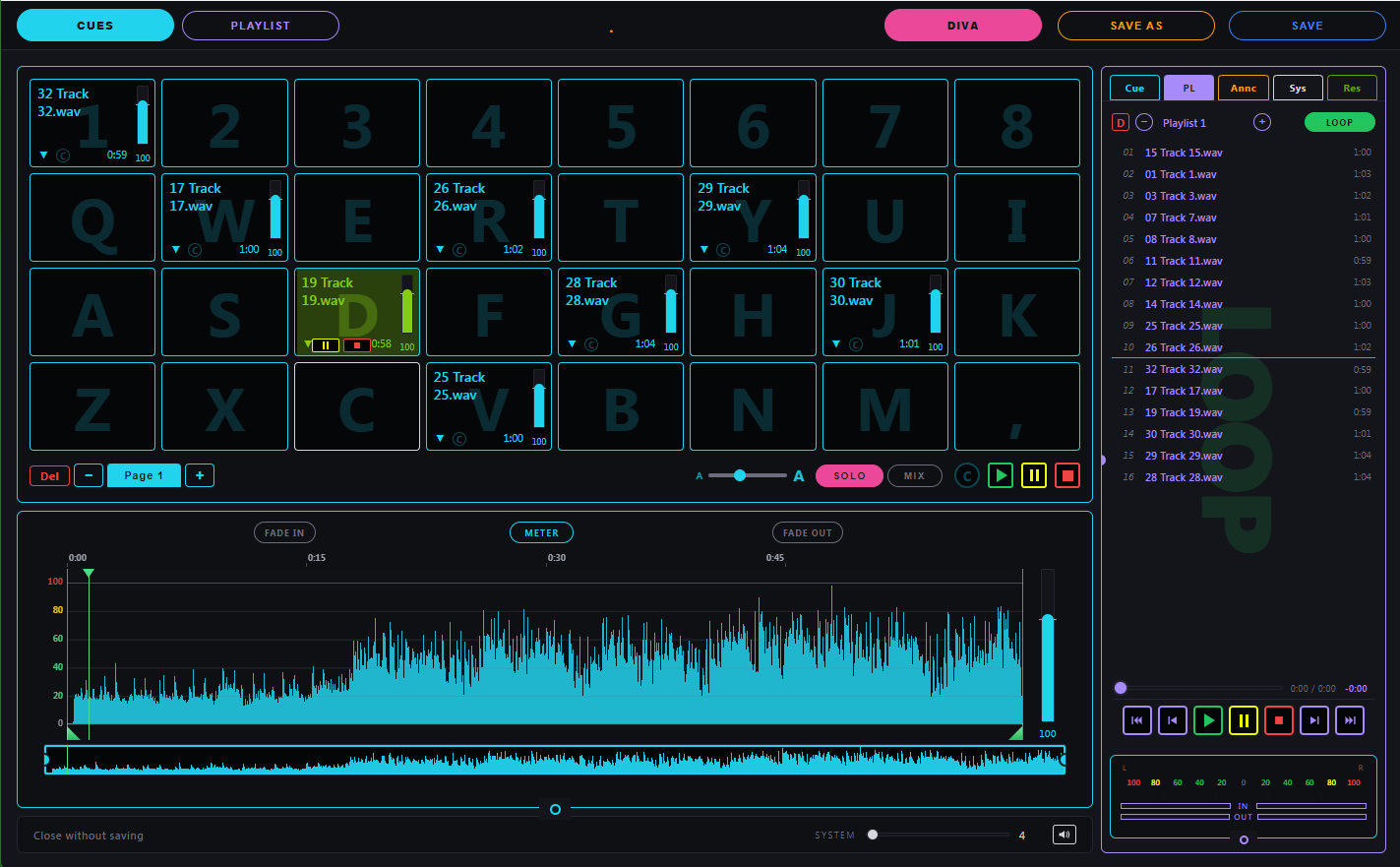
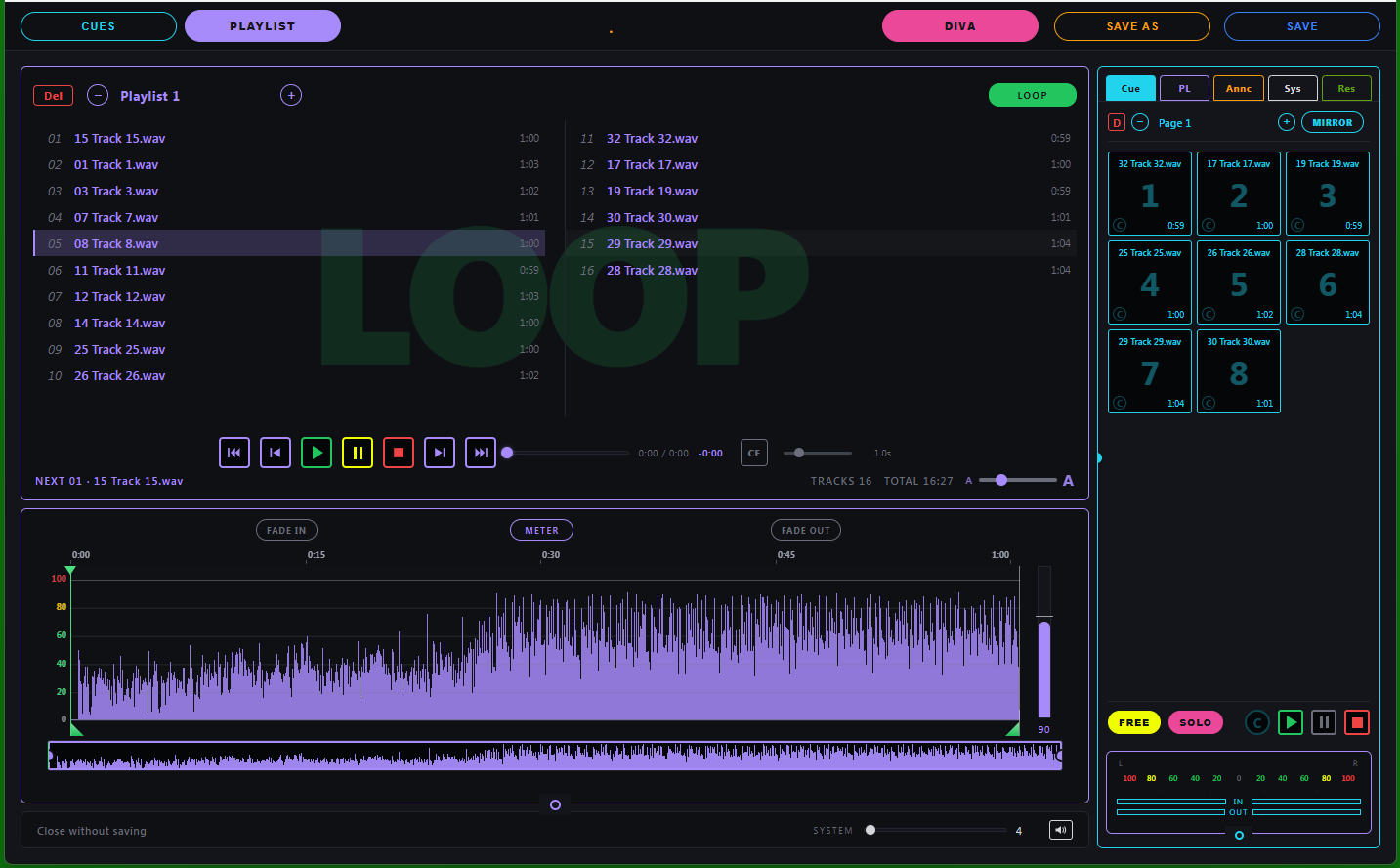
Two views. One app. Zero alt-tab.
Whatever you're driving, the other half remains accessible in the side panel. So a cue is always one keystroke from a playlist, and vice versa.
CUESCue grid in front. Playlist standing by in the side panel.PLAYLISTPlaylist in front. Cue grid standing by in the side panel.
DIVACues OR playlist, not both. Firing a cue stops the playlist; starting the playlist stops the cue. Right for shows where one thing should hold the room at a time.
DUETCues AND playlist together. Drop a sting or a sound effect over a running music bed without interrupting the bed.
Cues, the way operators actually fire them.
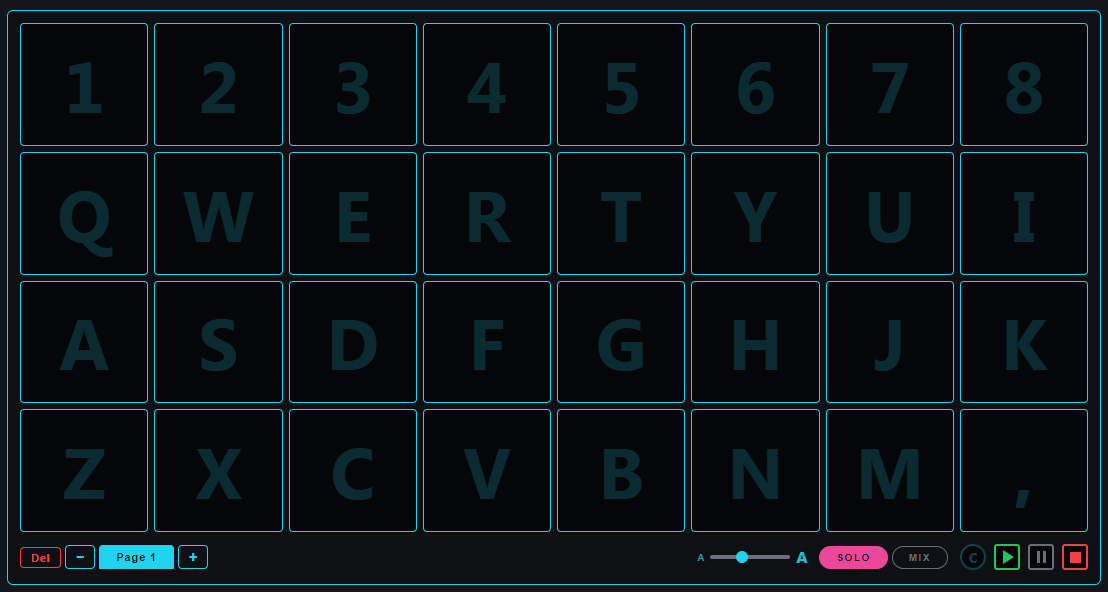
Every key on the top four rows of your keyboard is a cue. Number row for the favorites, letter rows for the rest. Multiple pages when one grid isn't enough. Solo to fire one at a time, Mix to layer them. Of course your MIDI board is welcome as well.
32 CUESOne per key. Top four rows of your keyboard — number row + Q-I + A-K + Z-, — fire the 32 cues on the page.
PAGESRun out of cues? Hit + at the bottom of the grid and start a new page. Up to 10 pages, each its own 32-cue layout, flip between them mid-show.
SOLOInside the cue grid: one cue plays at a time. Firing a new one immediately triggers. Right for stings, walk-ups, anything that shouldn't stack.
MIXInside the cue grid: cues stack. Layer crowd noise under an announcement, or run a bed loop while triggering one-shots over the top — all at once.
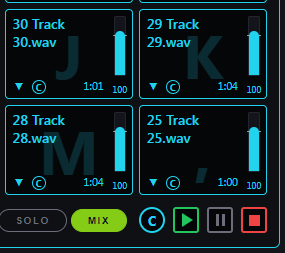
Before: four armed cues. MIX on. C button ready.
→
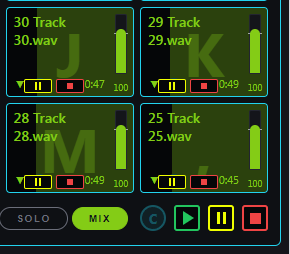
After: one click of C, all four fire at the same time.
CCommon transport. Arm any combination of cues first, then click C — every armed cue fires at the same time.
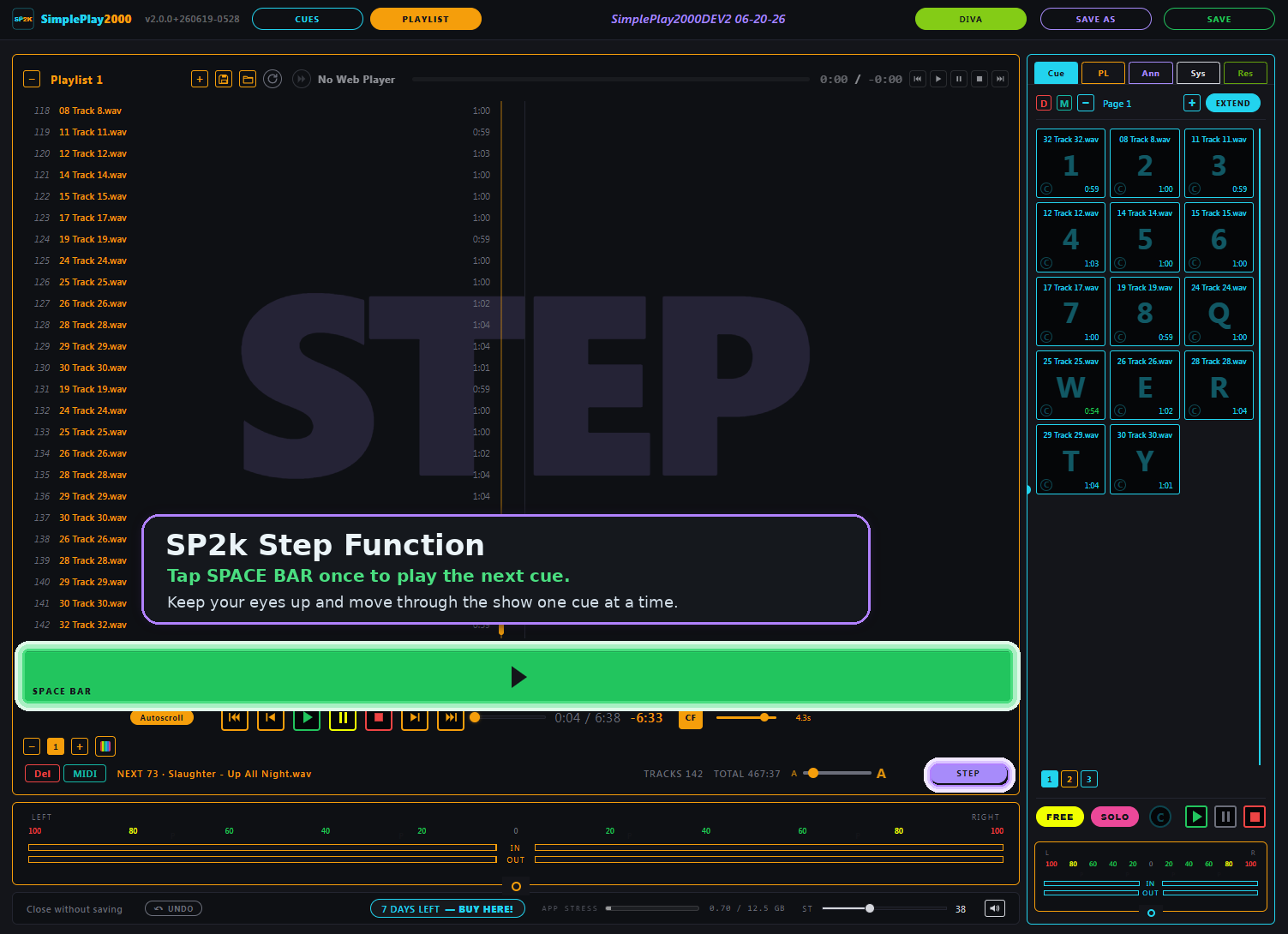
Run the playlist from the space bar.
Flip the playlist to STEP mode and one key drives the whole set — built for the booth, when your eyes belong on the room.
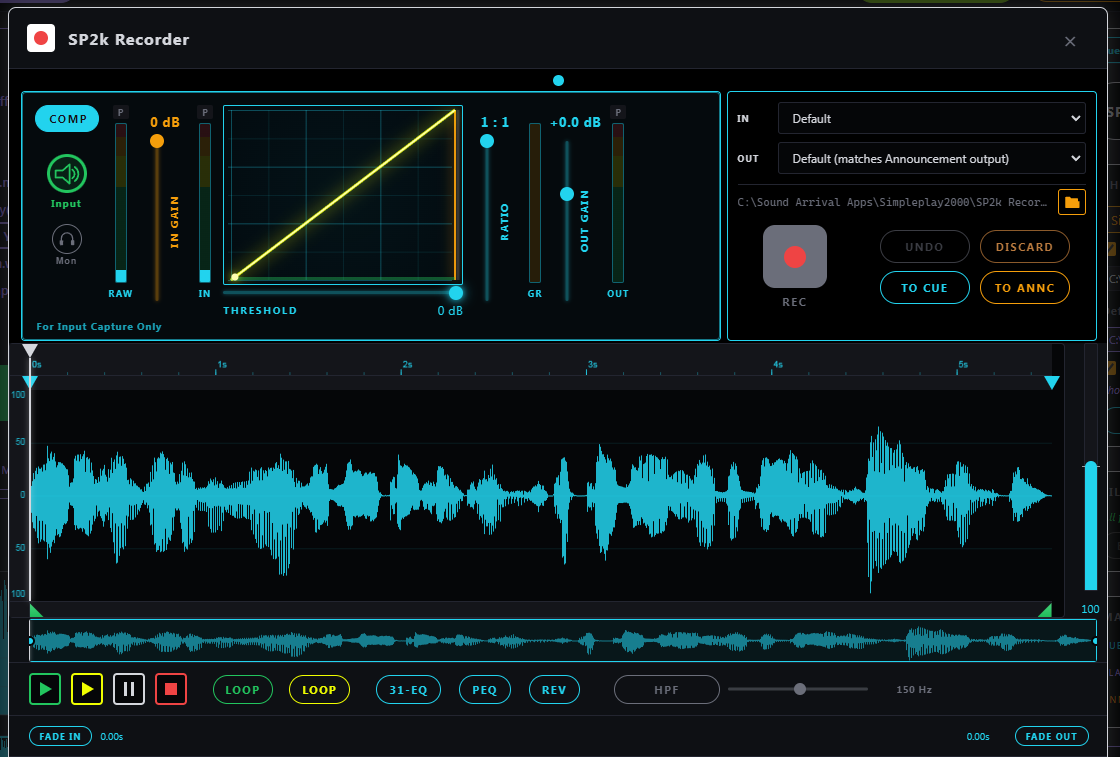
Voice overs, on the fly. Surgical edits, in the moment.
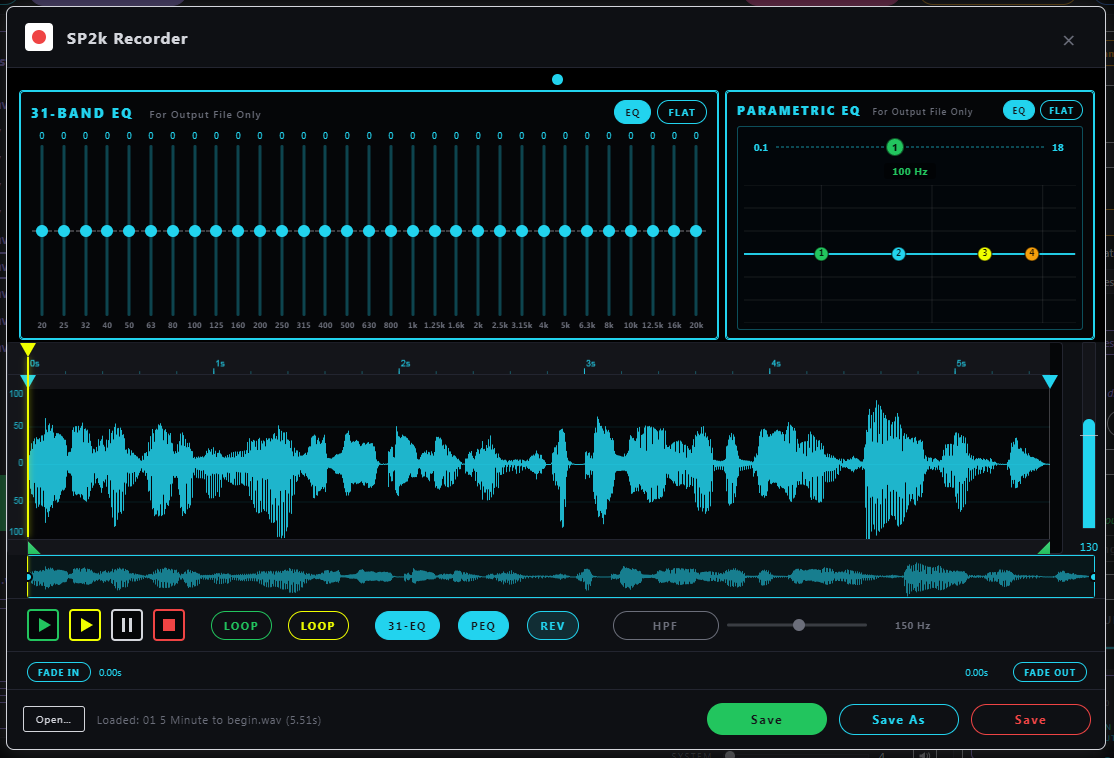
Record. Trim. EQ. Send it directly to the next open cue slot or announcement slot for instant on-the-fly ducking. No DAW. No app switching. No delays.
COMPRESSORInput Compressor with live gain reduction meter. Tame "expert" voices as you collect them for "live" address!31-EQ · PEQ31-band graphic EQ + 4-band parametric. Carve out room boom or a hissing AC duct. EQ what you save, save what you hear.
Every announcement, its own remote.
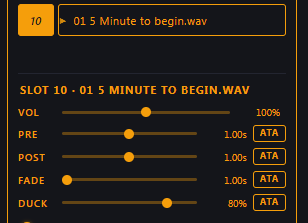
Each slot carries its own volume, pre-roll silence, post-roll silence, music fade time, and ducking depth — so a stage cue and a fire-drill cue can sit next to each other without you re-balancing every time.
VOLPlayback level for this slot only — the room's loud talker doesn't need the same volume as a whisper-soft pre-show note.
PRELead-in silence before the VO. Give the duck a chance — let it drop the music down before the voice ever comes in.
POSTSilence after, before the music ramps back. Let the moment land.
FADEHow fast the music ducks down and back up around the announcement.
DUCKHow far down the music goes — 80% by default, anywhere from "barely there" to full silence.
ATAApply to All — push one slot's settings to every announcement.
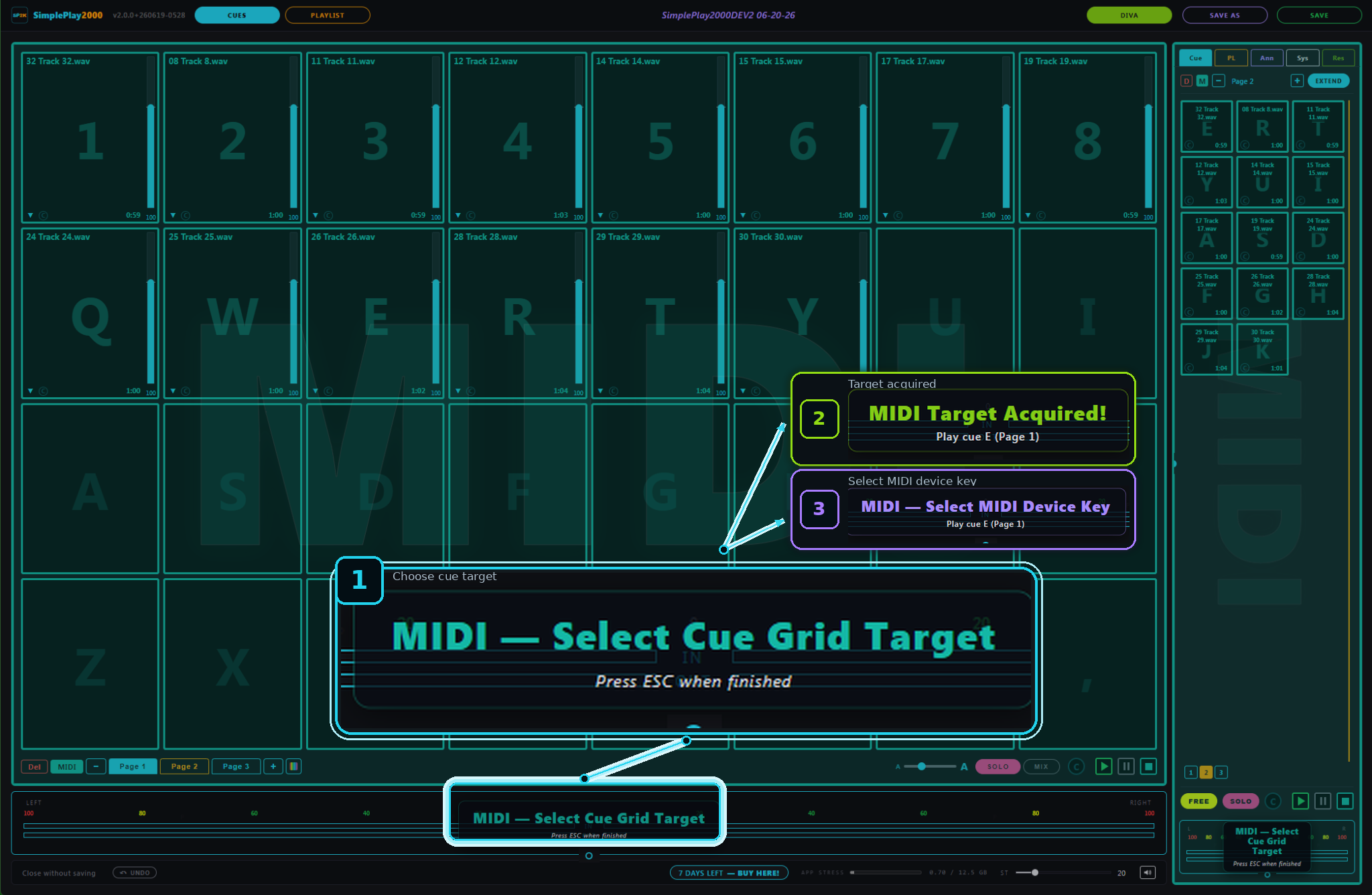
Fire cues from a MIDI controller.
Map pads and knobs to your cues and controls with MIDI Learn. A Launchpad maps itself — no setup.
MIDI LEARNMap a pad or knob to a cue or control — press a pad, click the target.
AUTO-MAPPlug in a Launchpad and the grid maps itself. No setup.
LED FEEDBACKLaunchpad pads light up to follow your show.
ANY CONTROLLERWorks with class-compliant USB MIDI controllers. Bindings save with your show.
Your board, where you need it.
The SimplePlay2000 remote interface brings critical app functions to your touch-surface devices. Nothing further to download — it's already in the app! Log onto your wireless network with your PC, Mac, iPad, tablet, or phone, and play.
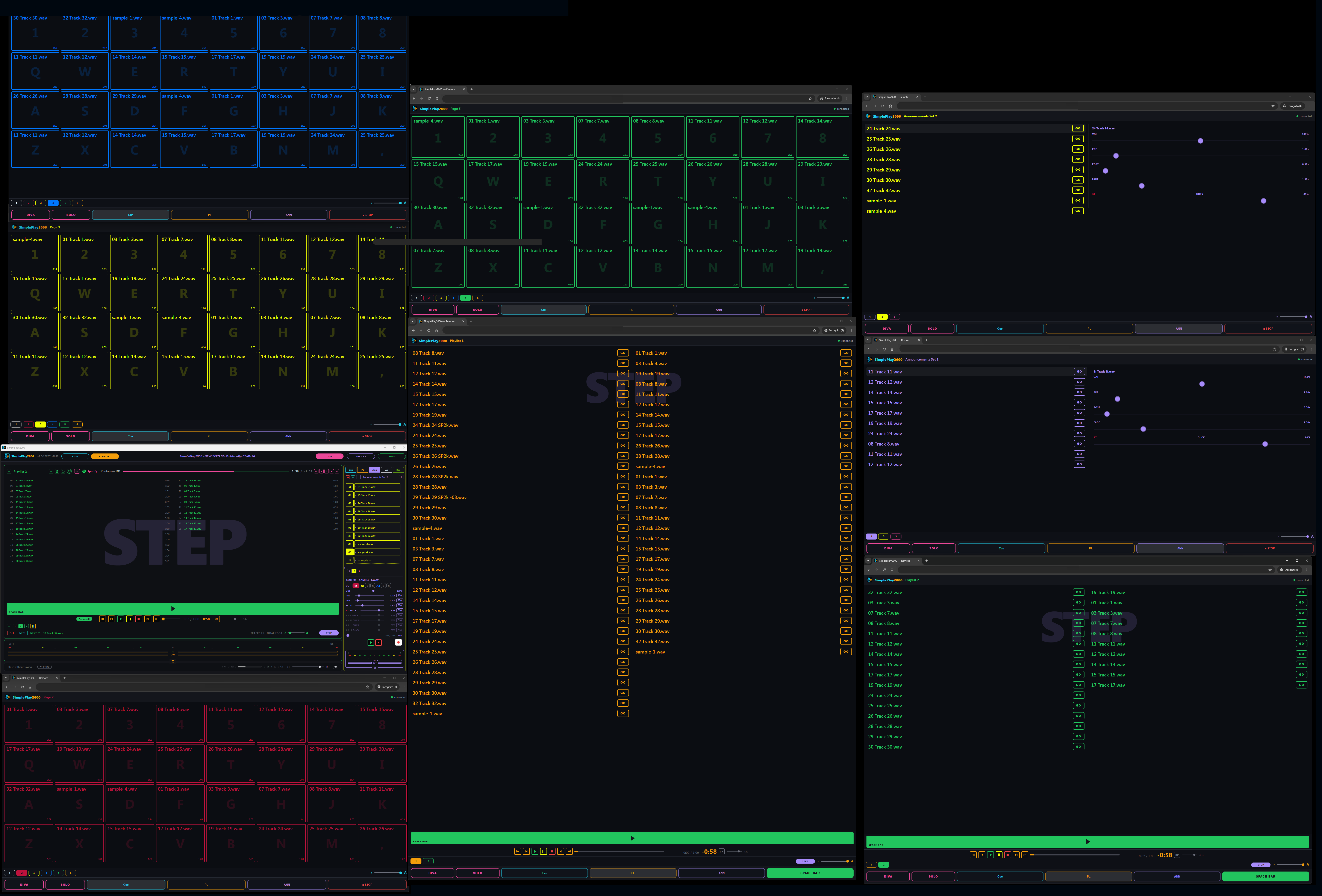
For those of you with multiple screens to work with, it also works as an extra window — keep more cues, playlists, and announcements right up top. This is an impressive function in the right space!
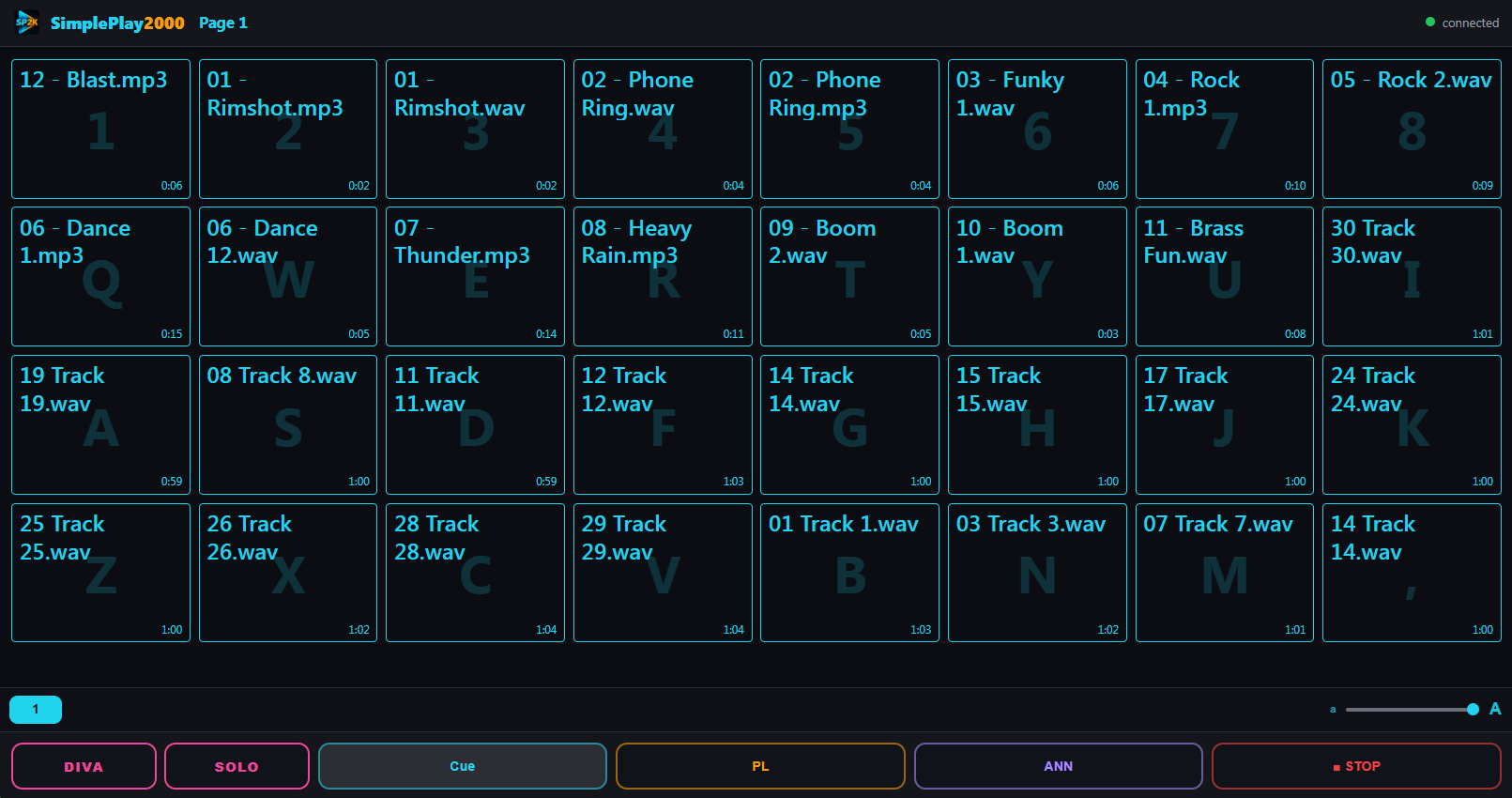
On a tablet — the full cue grid.
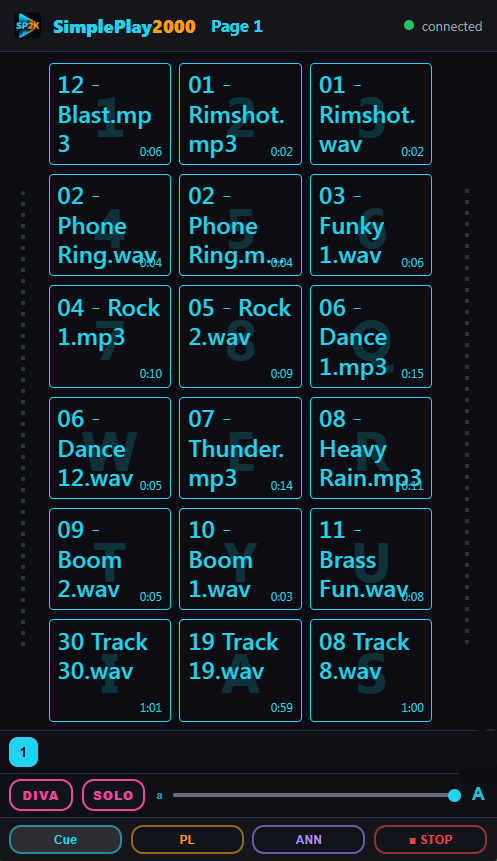
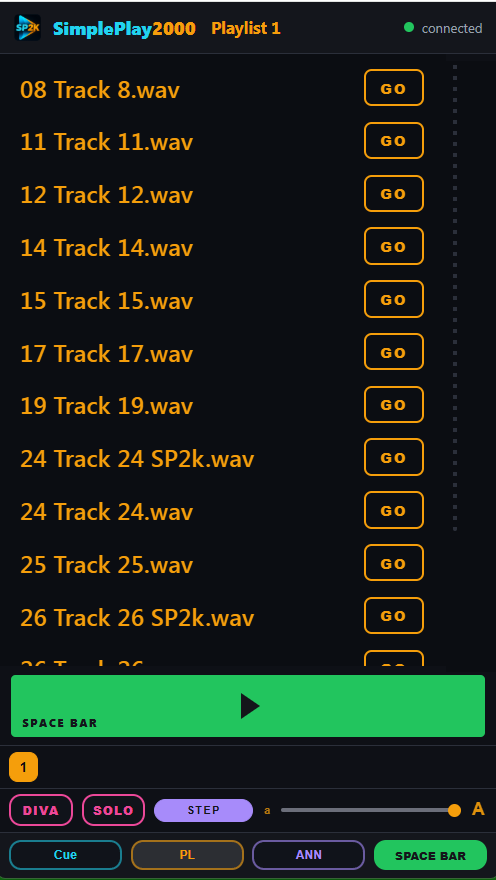
On a phone — cues.And playlists.
ALREADY INCLUDEDNot a separate app, built into SimplePlay2000 performance engine.
PHONE, TABLET, COMPUTERA tablet gets the full 8×4 grid; a phone gets a scrolling grid. A multiple monitor desktop can get multiple windows to customize their layouts.
Multiple monitors are welcome! Use YOUR imagination!
The app hands you the codes — scan and you're on.
Bookmarks and other resources, in the app.
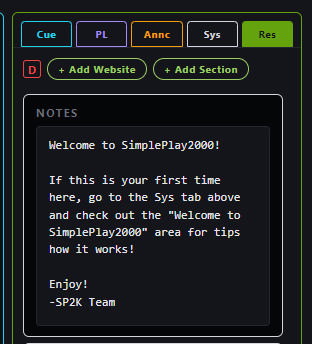
A Resources tab next to your cues and playlists. One-click links to the audio tools and music libraries you actually use — opens in your browser, no leaving the show. Plus a notes scratchpad that travels with the show file.
Everything you need to know is already in the app.
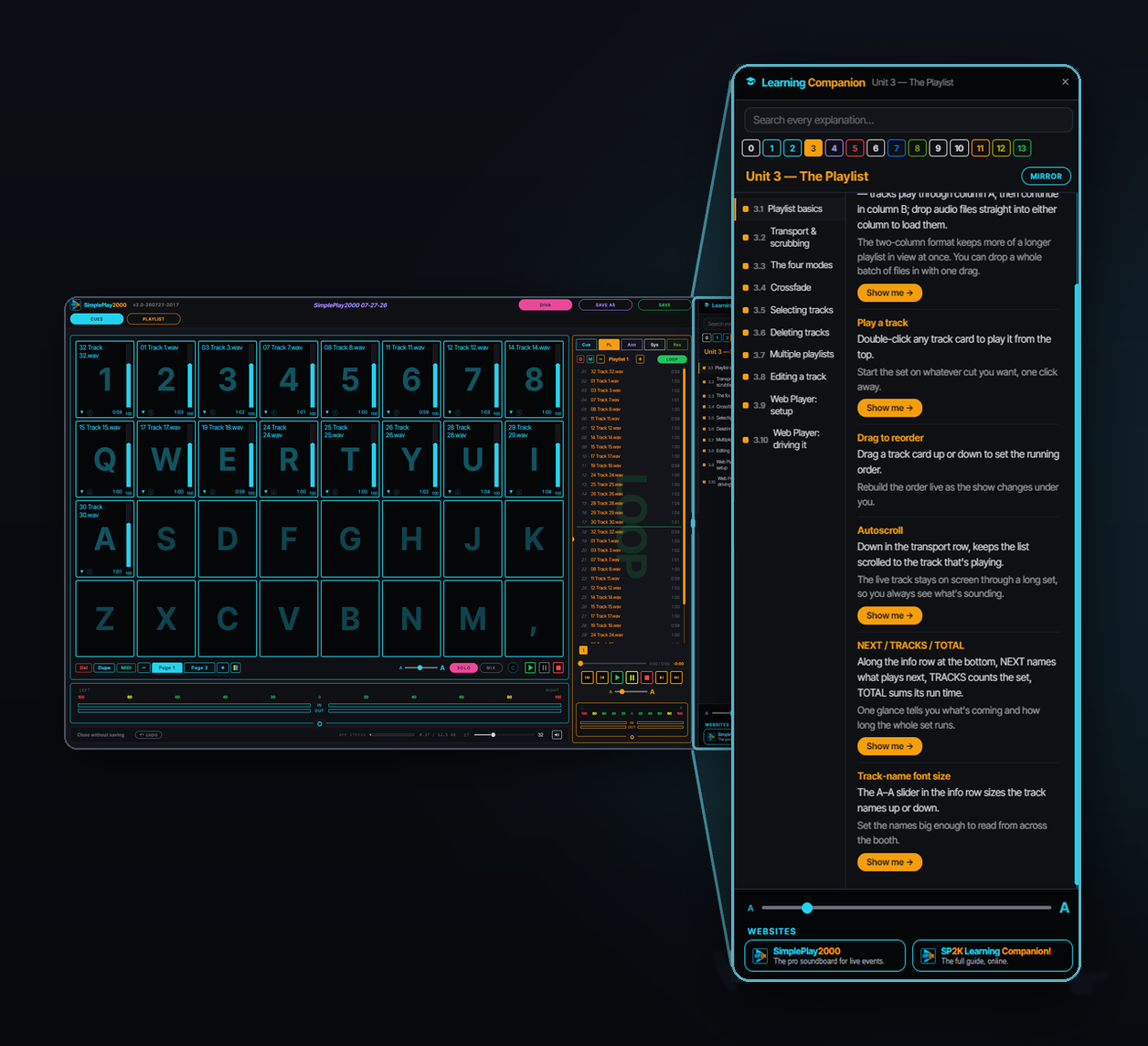
The Learning Companion opens beside your show — not a website you go and find, not a video you sit through. It teaches on your board, with your files loaded.
✓ “Show me” doesn’t describe a button — it takes you to it. The Companion opens the right panel, spotlights the actual control on your screen, and pulses it until you’ve seen it.
✓ 89 topics across 14 units — every panel and every control: what it does, how it works, and why it’s there.
✓ 247 controls it can walk you to, and 34 it will demonstrate — the app performs the move while you watch.
✓ English and Spanish — the whole thing, not just the menus.
✓ No extra cost, no account, no internet needed — it ships inside the app.
Built for the booth.
✓ Cue grid — keyboard-shortcut cues across multiple pages
✓ Playlists — crossfade, loop, step, or auto-advance
✓ Announcements — pre/post-roll with automatic ducking
✓ Built-in recorder — voice-overs with EQ, trim, and fades
✓ Trim & fades — broadcast-grade edits in seconds
✓ Show files — your whole show saved in one .sp2k
✓ Spotify — run your own Spotify playlists from SimplePlay2000. Your own Spotify Premium account is required and is NOT included. Setup and requirements →
$49.99/year plus any applicable tax — charged only when you decide we're a fit, after your 7 days. No credit card up front. Cancel auto-renew anytime; we'll never bill you again. All sales final on the current paid year — refund policy here.
2 activations per key — primary and backup. Both begin (and end) with the same 365-day term, measured from the purchase date.
Thanks for considering our product. We hope you enjoy using it as much as we have enjoyed making it!
Need to keep the show on time? Meet SimpleTime2000
SimpleTime2000 — our event timer board for live events. Countdown, count-up, time-of-day clock, and on-screen messages — up to four windows, out to a clean second screen. Keep your speakers, keynotes, and sessions right on time.
 SimplePlay2000
The pro soundboard for live events.
SimplePlay2000
The pro soundboard for live events.



 SimpleTime2000